
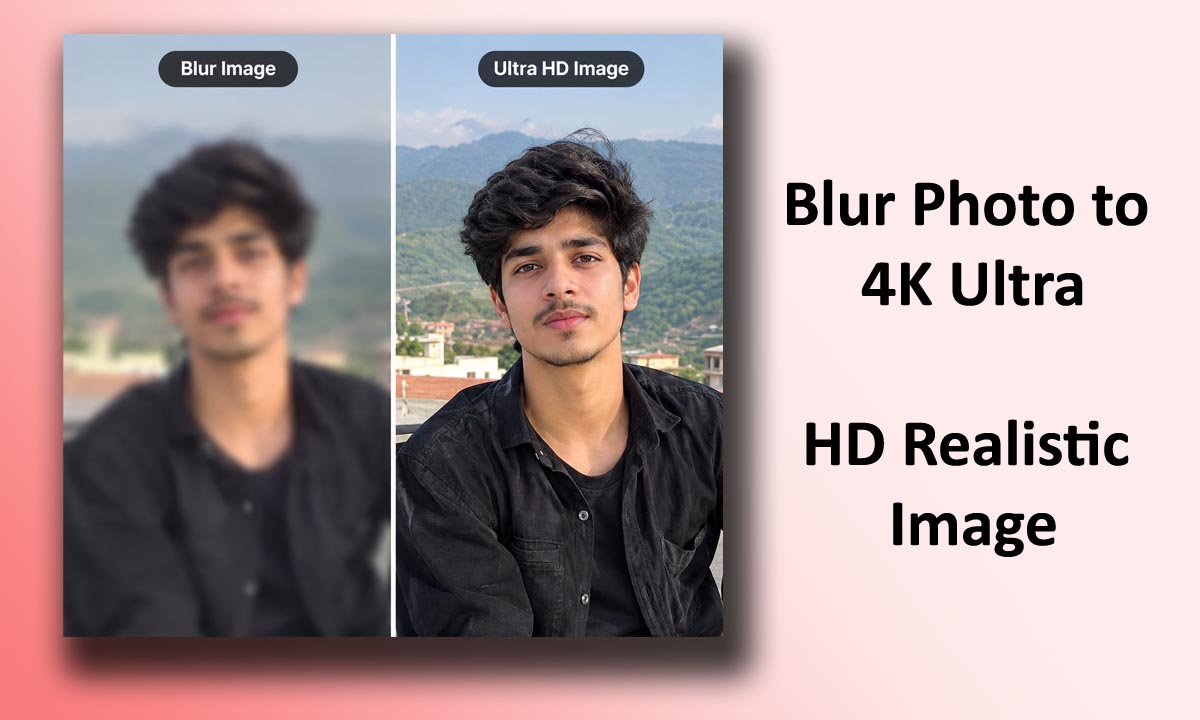
Looking for the perfect [Blur Photo to 4K Ultra HD Realistic Image]? This AI image generation prompt helps you create stunning, high-quality visuals with impressive details, realistic textures, and beautiful compositions. Whether you are a beginner or an experienced creator, you can use this prompt to bring your creative ideas to life.
Blur Photo to 4K Ultra HD Realistic Image (Copy and Use the Prompt Below)
Enhance my uploaded blurry photograph into an ultra-high-definition, photorealistic image while preserving 100% of the original person’s facial identity. The uploaded image must remain the only source of identity.
IDENTITY PRESERVATION IS THE HIGHEST PRIORITY:
Keep the exact same original face, eye shape, eye size, eye spacing, eyebrows, nose shape, nostrils, lips, mouth shape, jawline, chin, cheekbones, forehead, ears, hairline, hairstyle, skin tone, facial proportions and natural asymmetry. Do not change, beautify, reshape, replace or regenerate any facial feature.
IMAGE ENHANCEMENT:
Carefully reduce blur, motion blur and image noise where possible. Improve sharpness, focus, resolution, natural contrast and lighting. Recover authentic-looking skin texture, fine hair strands, eyebrow details, eyelashes, iris details and natural lip texture without inventing new features. Preserve the original expression, pose, camera angle, background, clothing and composition.
REALISM:
Natural human skin pores, authentic skin texture, realistic individual hair strands, lifelike eyes, physically plausible lighting, natural colors, balanced exposure, professional photographic clarity, high-resolution 4K output, realistic DSLR photograph, no artificial beauty filter, no plastic skin, no excessive sharpening.
STRICT NEGATIVE INSTRUCTIONS:
No face swap, no identity change, no facial reconstruction that changes identity, no different eyes, no altered nose, no modified lips, no jawline reshaping, no hairstyle replacement, no skin whitening, no symmetry correction, no makeup enhancement, no age change, no AI-generated facial details, no cartoon effect, no CGI, no over-smoothing.
FINAL GOAL:
Produce the clearest and most realistic version of the original photograph possible, with the same recognizable real person and unchanged facial features. Prioritize identity fidelity over sharpness or cosmetic improvement.
AI Image Generation Prompt
Use the prompt below to generate your desired image. Simply copy the complete prompt and paste it into your preferred AI image generator.
Prompt:
How to Use This Prompt
Creating your image is simple. Copy the prompt provided above, open your favorite AI image generator, and paste it into the prompt box.
Click the generate button and wait for your image to be created. You can adjust the prompt according to your preferences to achieve different results.
Customize Your Image
You can modify the background, lighting, colors, clothing, camera angle, facial expressions, and other visual details to make your image unique.
Experiment with different settings to discover the style that best matches your creative vision.
Final Thoughts
Try this [Prompt Title] AI image prompt and explore new creative possibilities.
Save your favorite results, experiment with variations, and keep creating amazing visuals with AI. The final output may vary depending on the AI image generator you use.